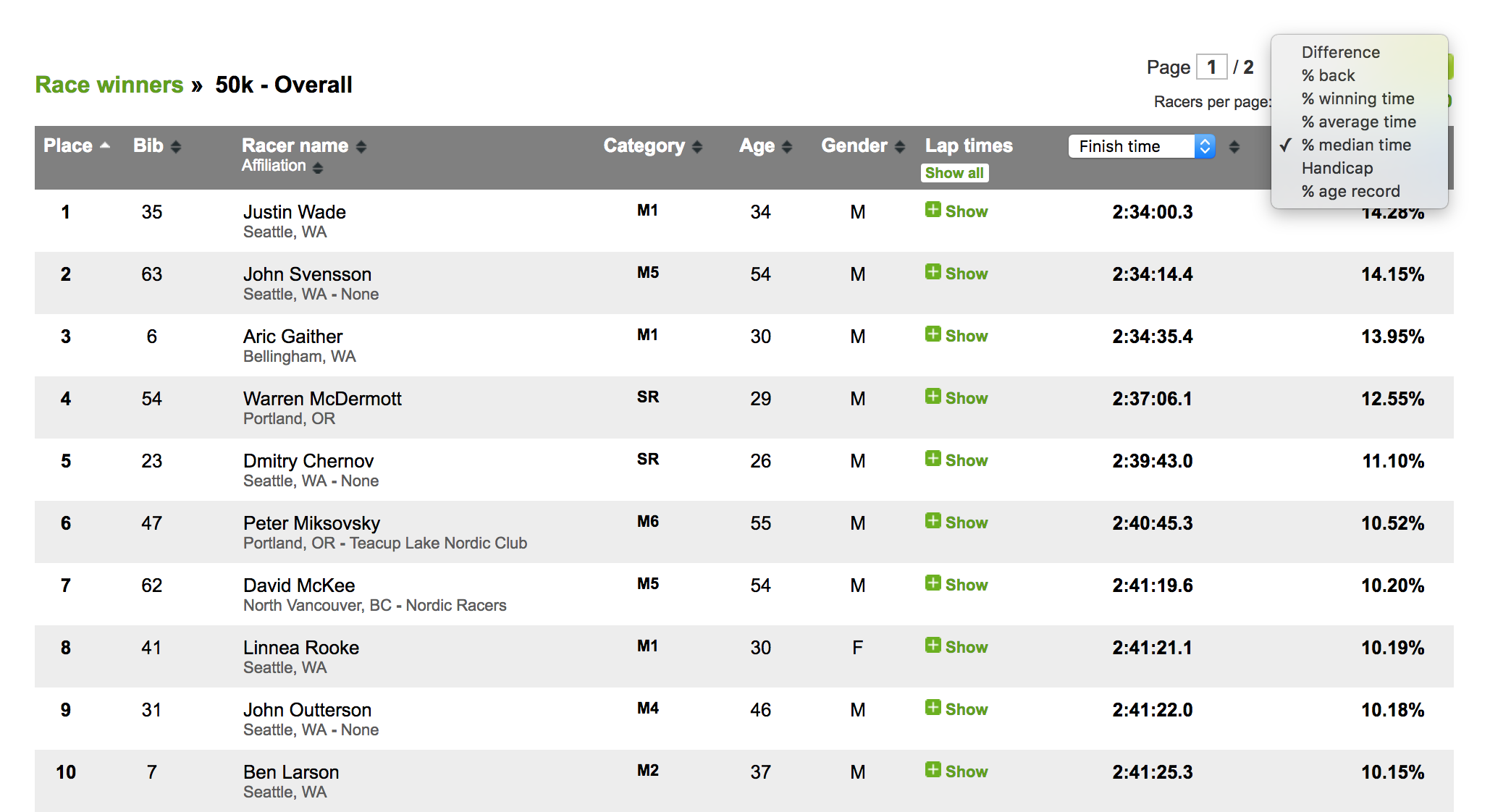
On all results pages, the last column on the right has a dropdown that shows the "Difference" in time to the winner by default. You can click on the dropdown to select one of several ways to show the relative performance to the the rest of the competitors.
First, all times converted to seconds - and then the following calculation is applied:
Average time All times added together / number of racers
Median time The "middle" racer's time in a race with odd number of racers
The average of the two “middle” racers’ times, in a race with even number of racers
Percentages
% back 100 * (Your time - Winner’s time) / Winner’s time
% winning 100 * (Winner’s time / Your time)
% average 100 * (Average time - Your time) / Average time
% median 100 * (Median time - Your time) / Median time
% age record 100 * (Age record in seconds / Your time in seconds)
The % age record value is shown only if the the race has been specified to use the "Age-graded handicap". The age-record data uses the 2025 tables from https://github.com/AlanLyttonJones/Age-Grade-Tables. For background on this feature, click on this link: https://www.runnersworld.com/tools/age-grade-calculator